Wardrobe Analytics
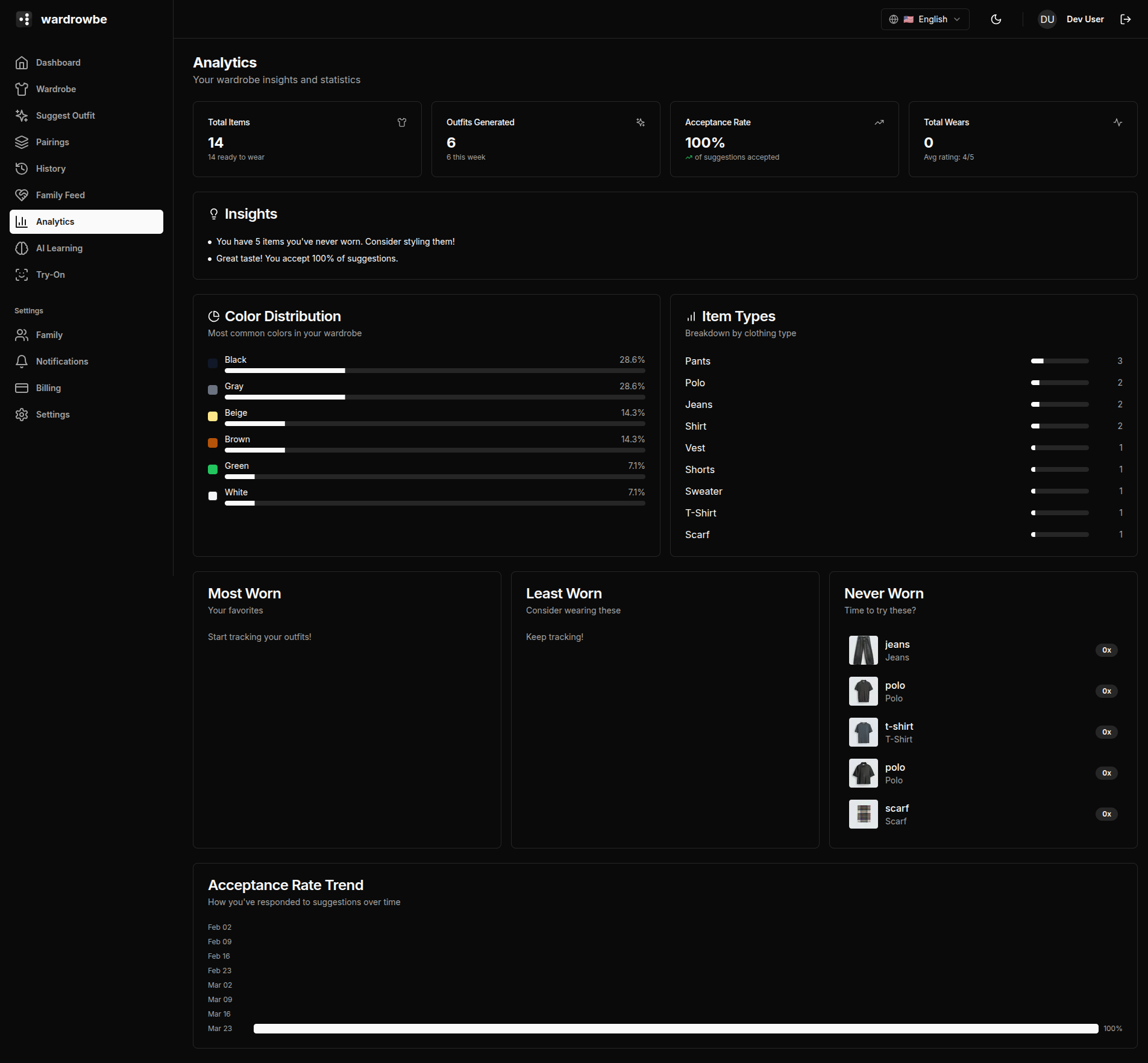
The analytics page gives you a data view of your wardrobe activity: how much of your wardrobe you actually use, how often you accept suggestions, and which items get the most (and least) attention.
Stat Cards
Four summary cards at the top give you the headline numbers.

| Card | Description |
|---|---|
| Total items | Number of active items in your wardrobe (excludes archived) |
| Outfits generated | Total suggestion count across all time |
| Acceptance rate | Percentage of suggestions you accepted, with a trend indicator showing whether it’s improving or declining |
| Total wears | Sum of all wear logs across all items |
The acceptance rate trend shows the direction over the past 30 days compared to the 30 days before that. An improving trend means the AI is learning your preferences.
Insights
When there is something to point out, an “Insights” card below the stat cards adds short notes worked out from your wardrobe and activity. Examples: “Your wardrobe has limited color variety. Explore new colors!” and “You reject many suggestions. Consider updating your style preferences.”
Wardrobe Gaps
The “Wardrobe gaps” card counts how many outfits your wardrobe makes for each occasion you dress for, marks each occasion “Missing”, “Running thin” or “Covered”, and lists pieces missing from your wardrobe. It is included in the free pass. See the Gap Report for how it counts.
Charts
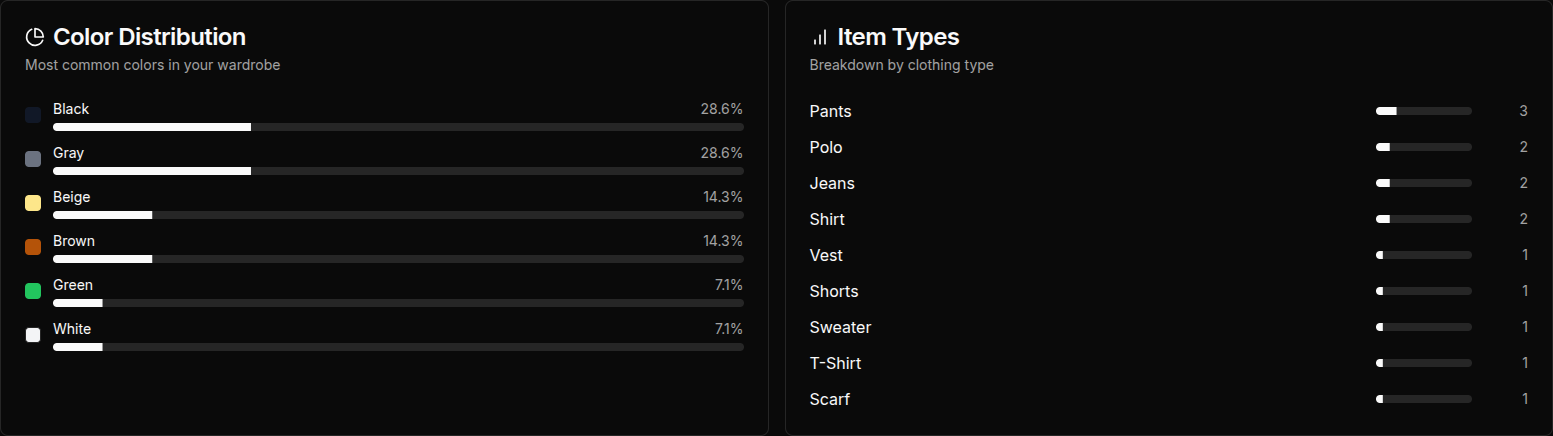
Color distribution: A breakdown of the colors in your wardrobe by item count. Useful for seeing whether you have a balanced palette or are heavily concentrated in one color.
Item types: How your wardrobe is distributed across clothing categories (tops, bottoms, outerwear, shoes, accessories). This helps identify gaps (e.g., you have 20 tops but 3 pairs of trousers).
Acceptance trend: A line chart showing your acceptance rate over the past 90 days. Dips and peaks often correspond to seasonal wardrobe changes or preference setting adjustments.
Most Worn Items
A ranked list of your most-worn items by wear count. These are the workhorses of your wardrobe.
Least Worn Items
Items in your wardrobe with a low wear count relative to how long they’ve been added. This helps identify items that might need to be archived or given away.
Never Worn Items
Items that have zero wear logs. When you have any, the card has a “Review wardrobe” button that opens the wardrobe review, where you can keep each item or let it go into your archive.
Mobile: Analytics is available in the Settings tab on mobile under “Analytics.” The layout stacks the charts vertically for smaller screens.