Wardrobe Overview
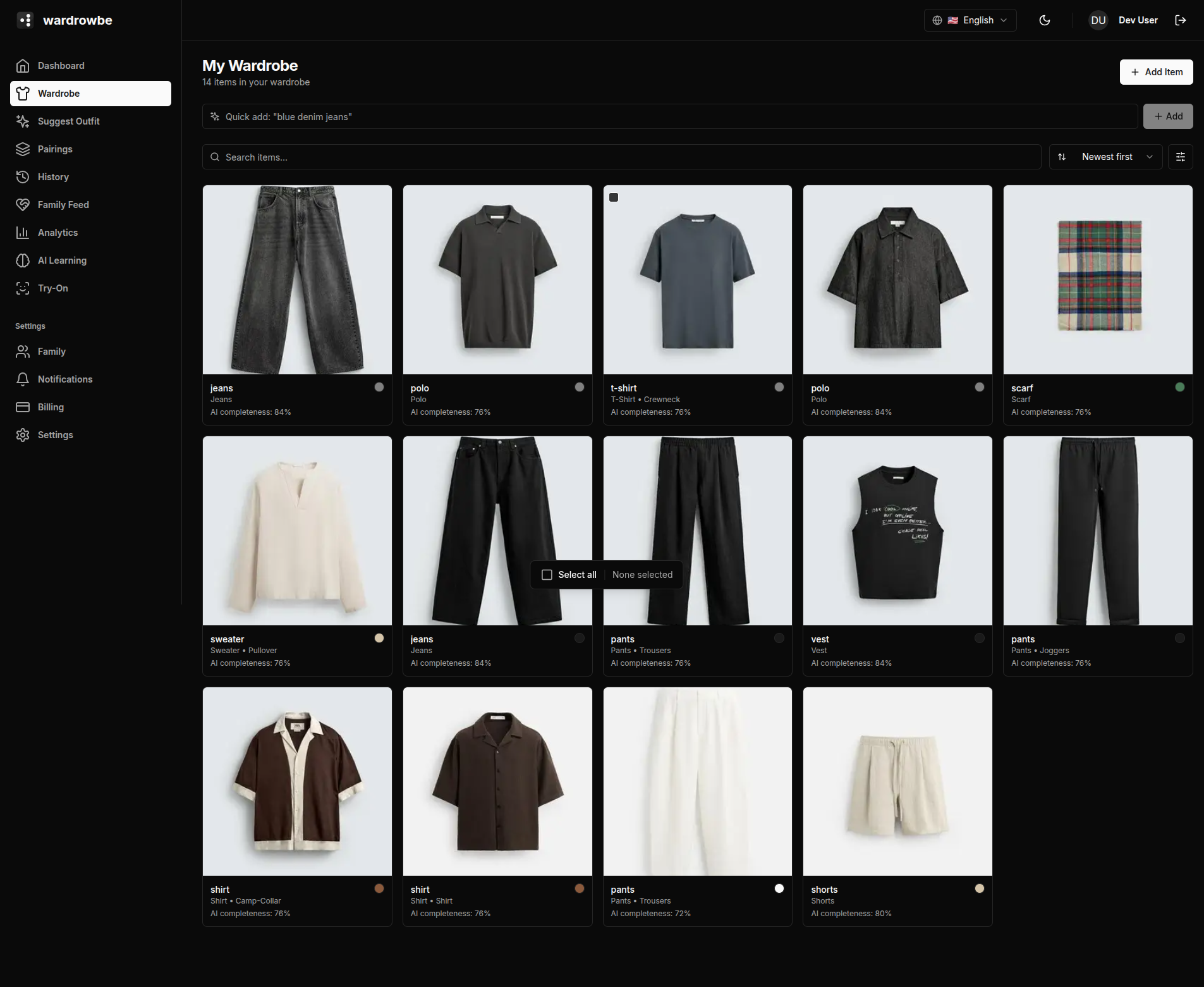
The wardrobe grid is where all your clothing items live. Every item the AI analyzes is shown here as a card with its thumbnail, name, and key metadata.
Item Cards
Each card in the grid shows:
- Thumbnail: The item photo with background removed.
- Name: The AI-generated name (editable in item details).
- Type: The clothing category (e.g., shirt, trousers, dress).
- Wear count: How many times you’ve worn the item.
- Last worn: The date last worn, color-coded by recency. Green means recent, amber means it’s been a while, red means the item has been forgotten.
- Favorite heart: Click to toggle favorite status. Favorited items get a small boost in suggestions.
- Needs wash indicator: A small badge when the item has been worn and needs washing before it can be suggested again.
Search
The search bar at the top filters items by name, type, color, or any other tag. It’s live-filtering: results update as you type.
Sorting
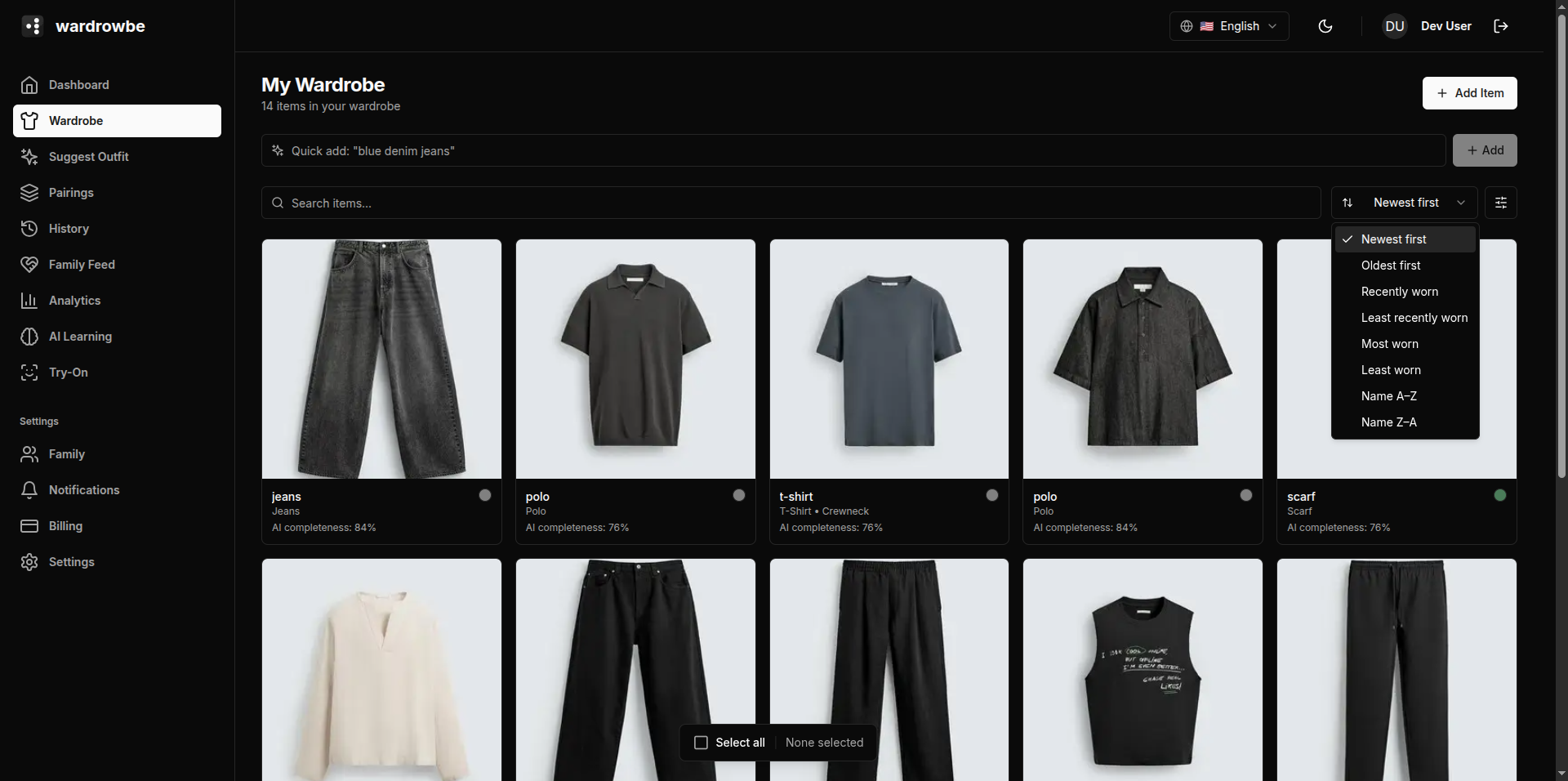
Eight sort options control the display order.
| Sort option | Description |
|---|---|
| Recently added | Newest items first (default) |
| Oldest first | Items added earliest |
| Most worn | Highest wear count first |
| Least worn | Lowest wear count first |
| Recently worn | Last worn date, newest first |
| Least recently worn | Items you’ve forgotten |
| Name A-Z | Alphabetical |
| Name Z-A | Reverse alphabetical |
Filtering
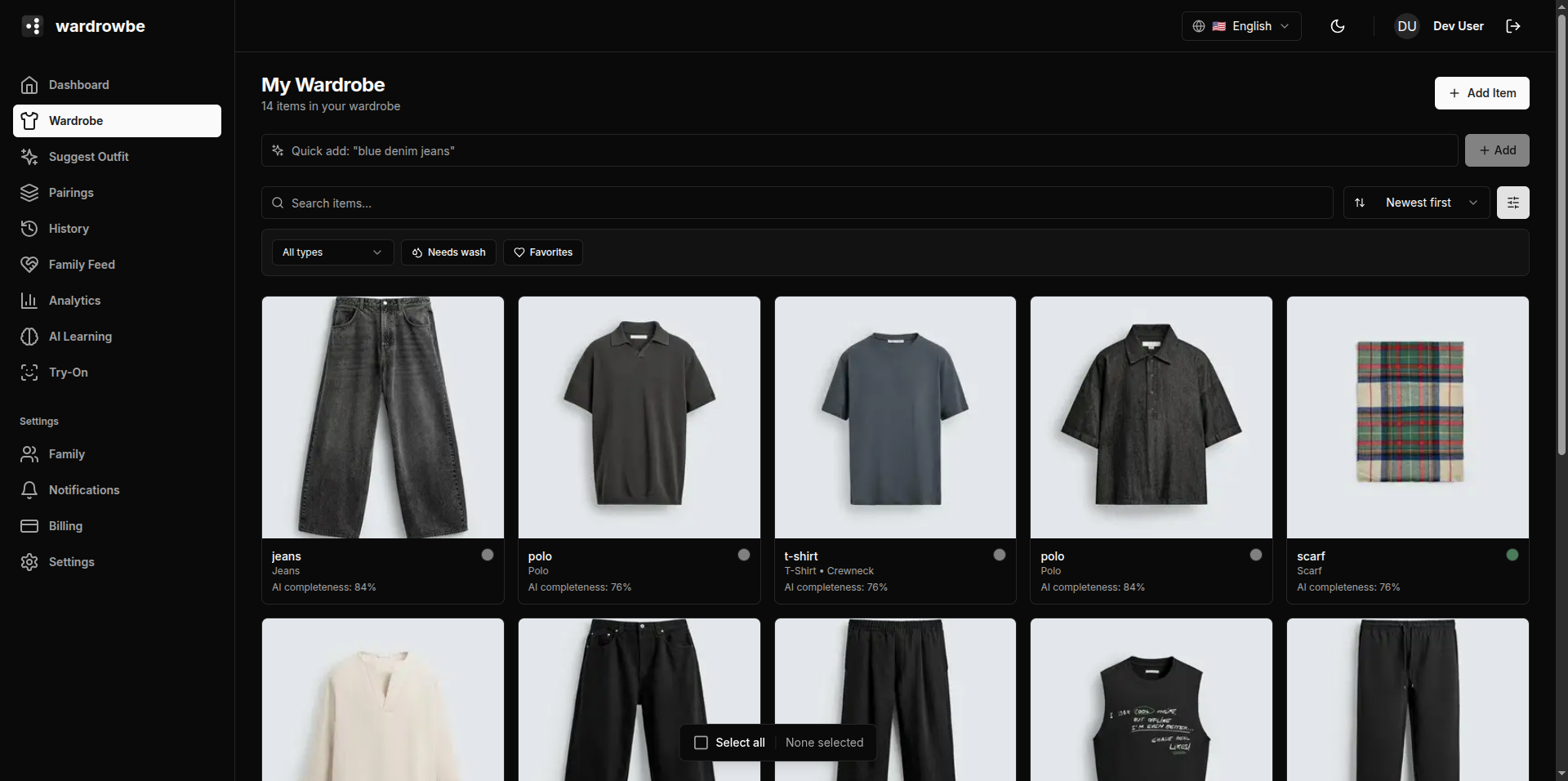
The filter panel lets you narrow by:
- Type: Tops, bottoms, outerwear, shoes, accessories, and more.
- Needs wash: Show only items that need washing.
- Favorites: Show only favorited items.
Multiple filters combine with AND logic. Active filters are shown as chips below the search bar.
Quick-Add Text Bar
At the bottom of the wardrobe page, there’s a text field for describing an item in plain language. For example: “dark navy slim-fit chinos.” Submitting this creates a new item and triggers AI analysis to fill in the tags. It’s the fastest way to add items without a photo.
Wardrobe Progress Bar
The progress bar at the top of the grid shows how much of your wardrobe you’ve actually worn. Items that have been worn at least once count toward the percentage. This gives you a quick sense of whether you have clothes you’re not using.
Mobile: The wardrobe is the second tab in the mobile app. The grid layout adapts to screen width, typically showing two columns. Tap any card to open item details.