Subscription
Wardrowbe is a subscription-based service. Your subscription status controls access to the app’s features.
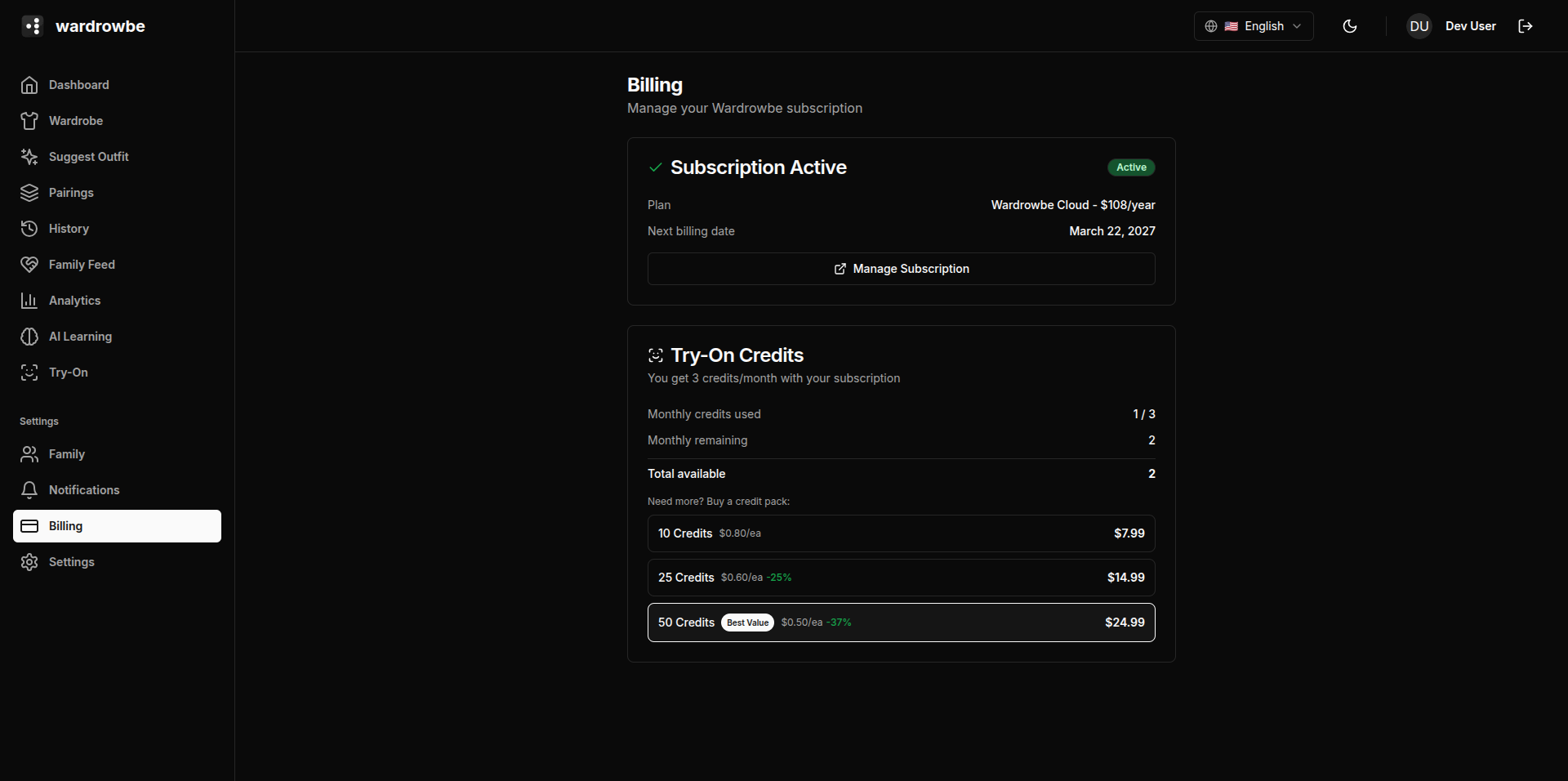
Status Badges
The billing page shows your current subscription status as a badge:
| Badge | Meaning |
|---|---|
| Active | Paid and in good standing |
| Trial | Free trial period active |
| Past due | Payment failed; access is at risk |
| Canceled | Subscription has been canceled; access ends at the end of the current period |
Past due accounts receive a grace period to update payment details before access is restricted. If you see “Past due,” update your payment method promptly via the Manage Subscription portal.
Plans
Two billing intervals are available:
- Monthly: Pay each month.
- Yearly: Pay annually at a discounted rate. The discount is shown as a percentage on the plan toggle.
Plan features are the same across billing intervals. The yearly plan is the same tier, billed at a lower effective monthly rate.
Feature List
All plans include:
- Unlimited wardrobe items
- AI outfit suggestions
- Weather integration
- Outfit history and feedback
- Smart pairings
- Style learning and analytics
- Family groups
- Notification schedules (ntfy, email, Mattermost, mobile push)
- Virtual try-on credits (monthly allowance)
Free Trial
New accounts receive a free trial period. The trial includes full feature access. A credit card is required to start the trial. If you cancel before the trial ends, you won’t be charged.
The trial start and end dates are shown on the billing page.
Managing Your Subscription
Click “Manage Subscription” to open the Stripe customer portal. From the portal you can:
- Update your payment method.
- Switch between monthly and yearly billing.
- View payment history and invoices.
- Cancel your subscription.
Cancellation takes effect at the end of the current billing period. You retain full access until the period ends.
Self-Hosted Alternative
If you want to self-host Wardrowbe without a subscription, the open-source version is available at wardrowbe.com . The self-hosted version does not include the managed AI infrastructure or virtual try-on service but supports custom AI endpoints.
Mobile: On mobile, subscriptions are handled through the App Store (iOS) and Play Store (Android) using native in-app purchases. Your subscription status syncs automatically between the app and your Wardrowbe account. To manage or cancel, use your phone’s subscription settings (App Store > Subscriptions or Play Store > Subscriptions).